> For clean Markdown of any page, append .md to the page URL.
> For a complete documentation index, see https://akamai.ferndocs.com/edge-workers/add-child-edgeworkers/llms.txt.
> For AI client integration (Claude Code, Cursor, etc.), connect to the MCP server at https://akamai.ferndocs.com/_mcp/server.
# Add a child EdgeWorker to an existing parent
The security development team is ready to add content to the CoreSite EdgeWorkers function.
Here's the dependency hierarchy for this example.
```
CoreSite EdgeWorker
+ marketing (EW 80552)
+ security (EW 80555)
```
# Before you start
Create a child EdgeWorker called **security**. Deploy and activate it on the Akamai staging network.
- You can use the instructions in the [EdgeWorkers Management application Hello World](hello-world-edgeworkers-management-application.md) example to create an EdgeWorker ID and activate the code sample below.
- For best results, use the **Dynamic Compute** resource tier when creating your EdgeWorker ID.
- Remember to note the EdgeWorker ID, you’ll need it to update the dependency list in the parent EdgeWorker.
- Make sure you activate the child EdgeWorker before trying to import it into a parent. The import will fail if the child is not yet activated.
Here's the JavaScript source code for the `main.js` file.
```javascript
import { logger } from 'log';
// Extract the current user from the given request
export function authorizeUser(request) {
let name, authorized;
if (["alex", "bob", "cam"].includes(request.query)) {
name = request.query;
authorized = true;
}
else {
name = "unknown";
authorized = false;
}
let result = {name, authorized};
logger.log("Authorization result: %o", result);
return result;
}
// Not used
export function onClientRequest (request) {}
```
# **Update the parent EdgeWorker**
## 1\. Add the child EdgeWorker as a dependency
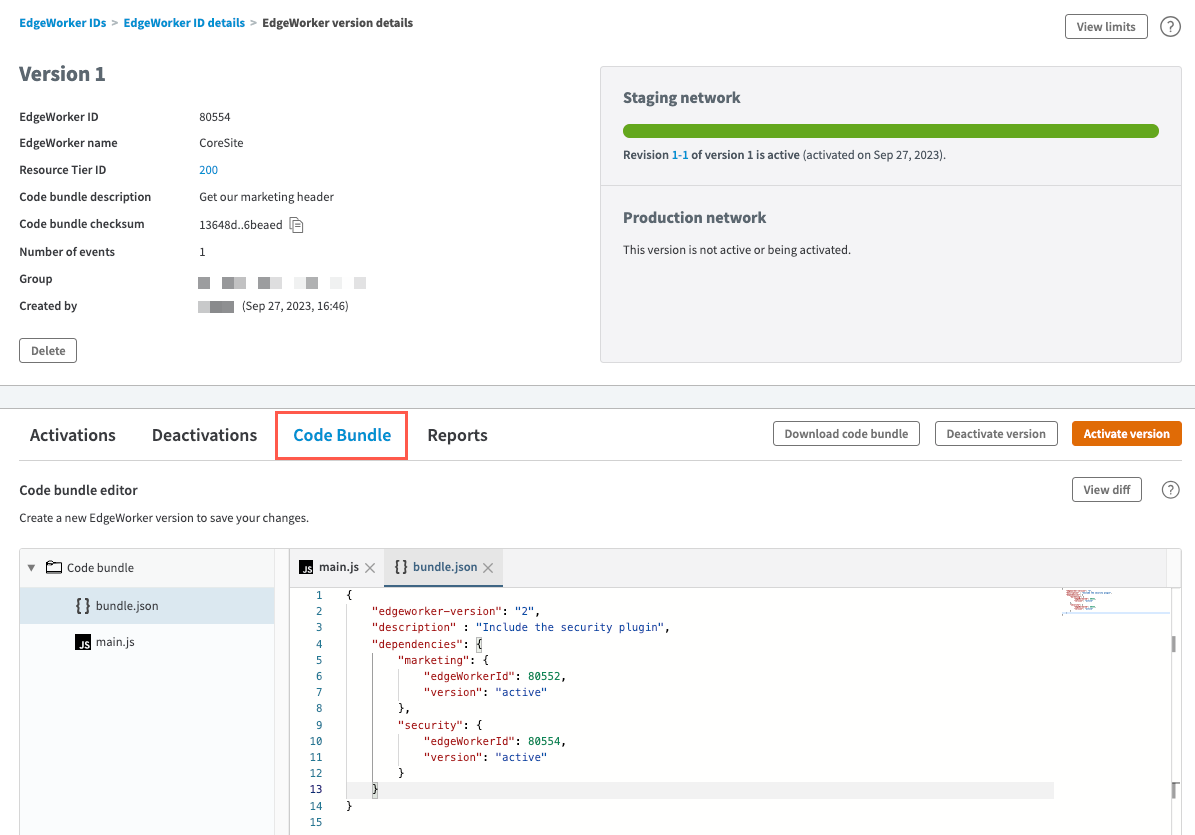
1. Select the parent EdgeWorker ID in the EdgeWorkers Management application. In this example the EdgeWorker ID for CoreSite is `80554`.
2. Select the currently active version.
3. Select the **Code Bundle** tab for the active version.
4. Select the `bundle.json` file in the code bundle editor.
5. Increment the `edgeworker-version` number. In this example we updated it from `1` to `2`. You can also update the description to note the reason why you created the new version.
6. Enter `security` as the name for the child EdgeWorker. You'll need to use the exact name that you used in the import statement in the `main.js` file of the parent EdgeWorker.
Enter the EdgeWorker ID of the security EdgeWorker. In this example the EdgeWorker ID is `80555`. You'll need to change this to the actual child EdgeWorker ID that you just created.
Enter `active` as the version. This imports the version of the EdgeWorker ID specified in the previous step that is currently active on the Akamai network. When you use the active version, dynamic reactivation will occur if you create and activate a new version of this child EdgeWorker.
> 📘 You can also import a child EdgeWorker by specifying the Revision ID. When you import a specific revision you lock the dependency tree of that child EdgeWorker. This can help when working across teams because it prevents dynamic activation. It also lets you import any active or inactive EdgeWorker revision. For more information see, [Import a static revision](/edge-workers/review-a-static-activation).
```json
{
"edgeworker-version": "2",
"description" : "Include the security plugin",
"dependencies": {
"marketing": {
"edgeWorkerId": 80552,
"version": "active"
},
"security": {
"edgeWorkerId": 80555,
"version": "active"
}
}
}
```
## 2\. Import the child EdgeWorker
1. Select the `main.js` file in the code bundle editor to import the Security EdgeWorker as a child.
2. Add an import statement using the name you provided to identify the EdgeWorker IDs in the `bundle.json` file.
3. In this example we're importing the "security" EdgeWorkers as a child.
```javascript
import * as marketing from "marketing";
import * as security from "security";
export function onClientRequest(request) {
let marketingHeader = marketing.getMarketingHeader();
let user = security.authorizeUser(request);
request.respondWith(200, {}, `
${marketingHeader}
Hello ${user.name}!
You ${user.authorized ? "are" : "are not"} authorized.
`);
}
```
## 3\. Create a new version of the parent
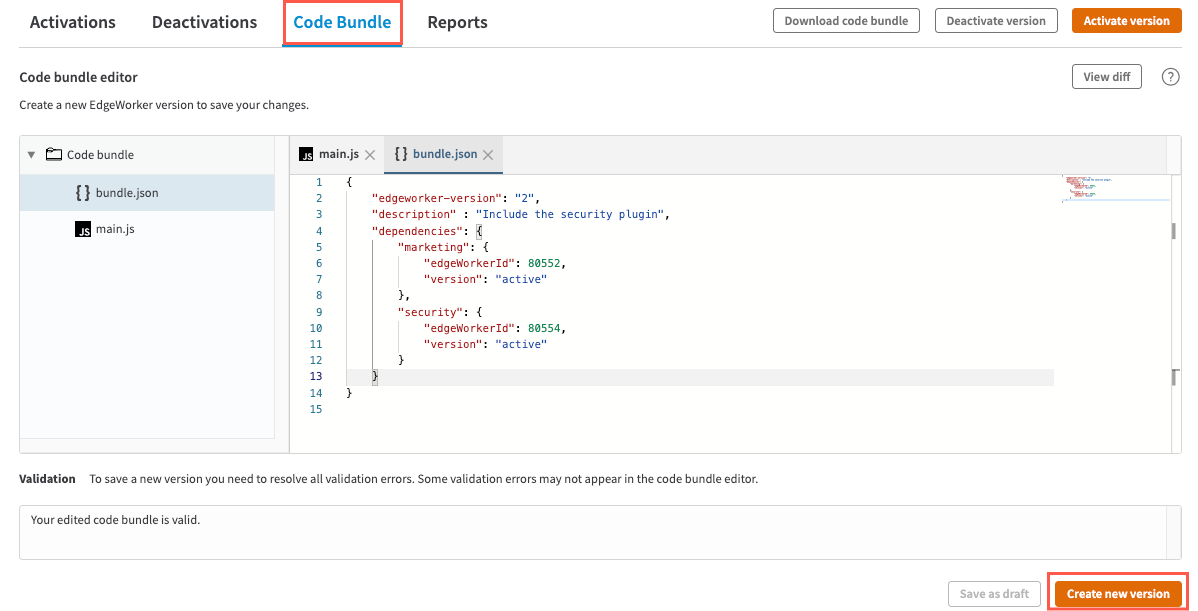
Check to make sure you don't have any errors. If you try to import an EdgeWorker ID that doesn't exist or isn't activated you'll get an error message.
1. Click the **Create new version** button in the Code Bundle Editor and again in the confirmation window.
 2. Next, activate the version that you just created.
 3. Requests sent to the top-level EdgeWorker will now apply the authorization changes included in the child Security EdgeWorker.
# **View the Revision details**
> 📘 You can also perform these tasks using the [EdgeWorkers API](ref:get-revisions).
1. Select **CoreSite **on the EdgeWorker IDs page.
2. Go to the **Revisions** tab.
## 1\. View the Revision Activations
1. A new revision, `2-1`, appears for the EdgeWorker ID.
3. Requests sent to the top-level EdgeWorker will now apply the authorization changes included in the child Security EdgeWorker.
# **View the Revision details**
> 📘 You can also perform these tasks using the [EdgeWorkers API](ref:get-revisions).
1. Select **CoreSite **on the EdgeWorker IDs page.
2. Go to the **Revisions** tab.
## 1\. View the Revision Activations
1. A new revision, `2-1`, appears for the EdgeWorker ID.
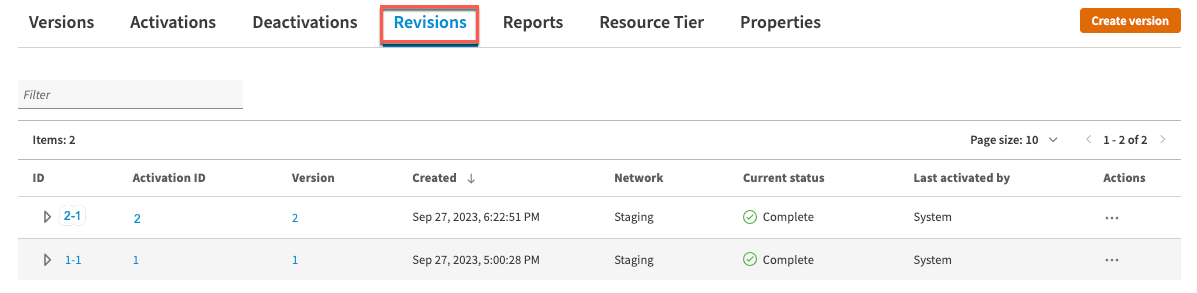 2. To view more details about the revision, click on `2-1`, the Revision ID in this example.
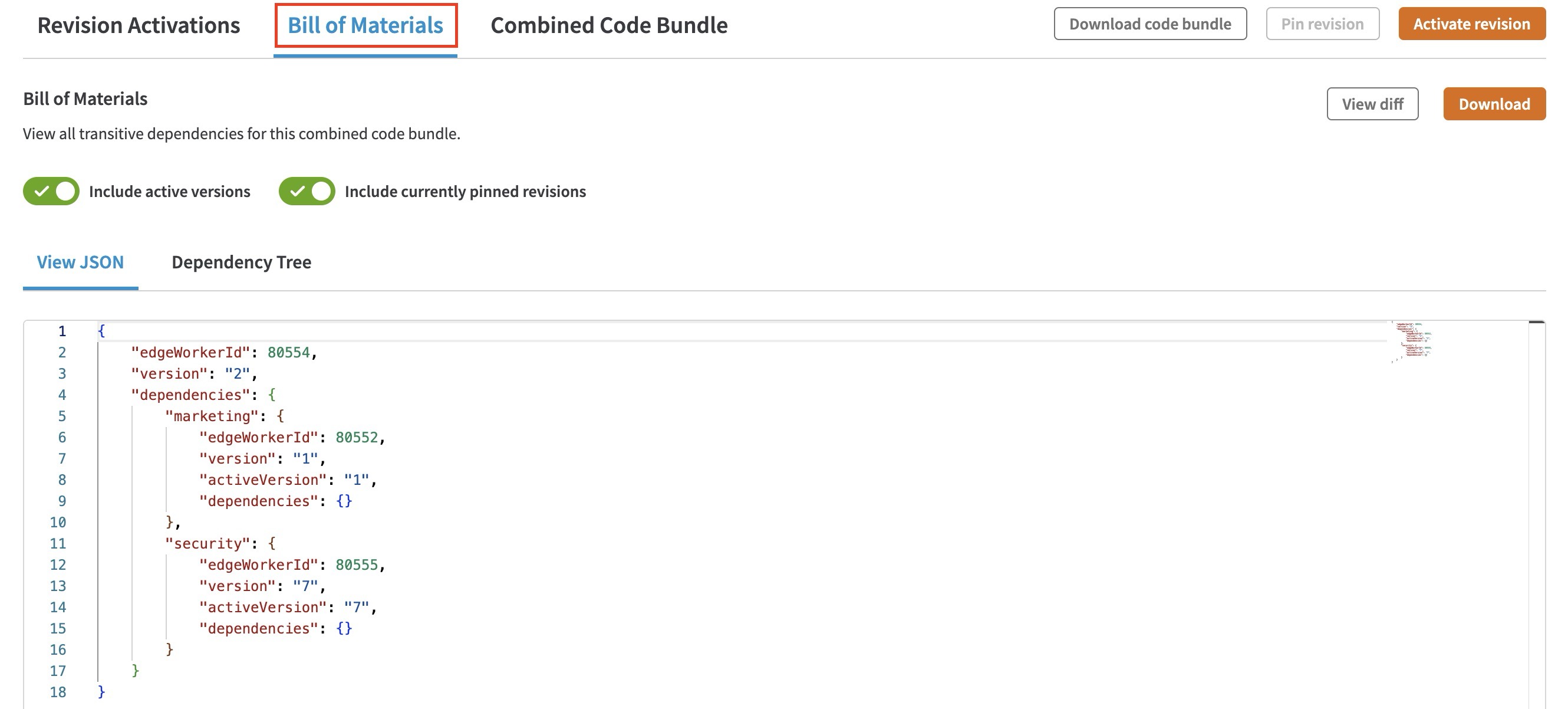
## 2\. Bill of Materials
The BOM now shows the two dependencies and which EdgeWorker version was deployed.
2. To view more details about the revision, click on `2-1`, the Revision ID in this example.
## 2\. Bill of Materials
The BOM now shows the two dependencies and which EdgeWorker version was deployed.
 ## 3\. Combined Code Bundle
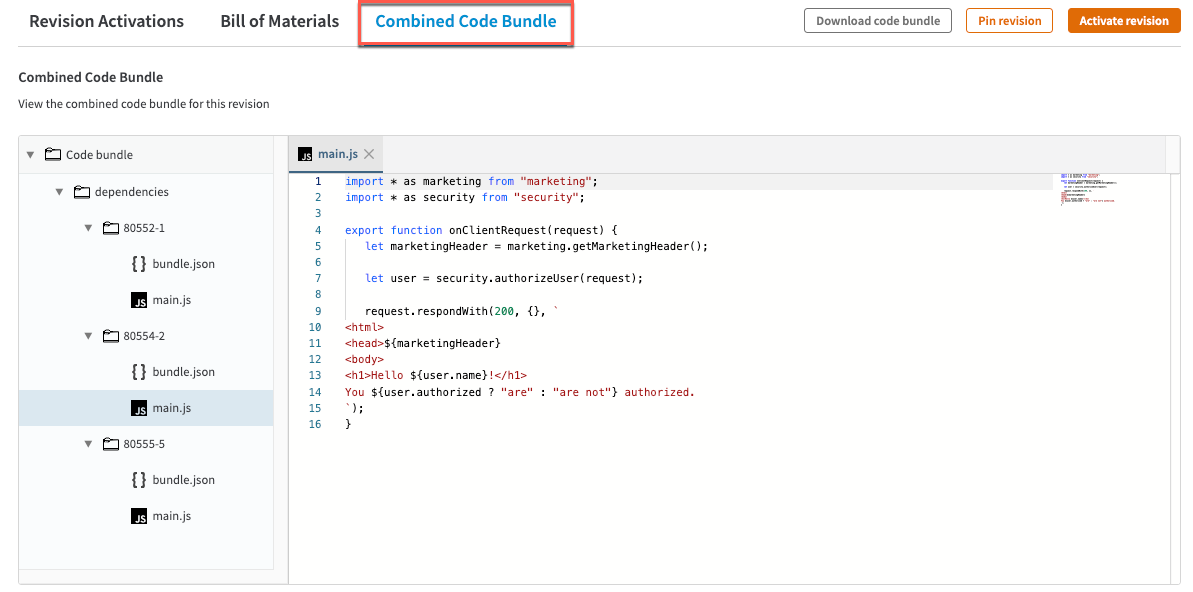
The combined code bundle lets you view the `main.js` and the `bundle.json` files for the parent and the two child EdgeWorkers.
## 3\. Combined Code Bundle
The combined code bundle lets you view the `main.js` and the `bundle.json` files for the parent and the two child EdgeWorkers.