> For clean Markdown of any page, append .md to the page URL.
> For a complete documentation index, see https://akamai.ferndocs.com/llms.txt.
> For AI client integration (Claude Code, Cursor, etc.), connect to the MCP server at https://akamai.ferndocs.com/_mcp/server.
# Pin a revision
Revision pinning provides the flexibility to accept changes when it is safe to do so, and also to avoid them during critical periods. For example, you can use revision pinning to turn off dynamic reactivations during a sales event or code freeze.
> 📘 By default, auto pin is enabled when you activate the initial revision for a parent EdgeWorker.
> 📘 You can also perform these tasks using the [EdgeWorkers API](ref:post-revision-pin).
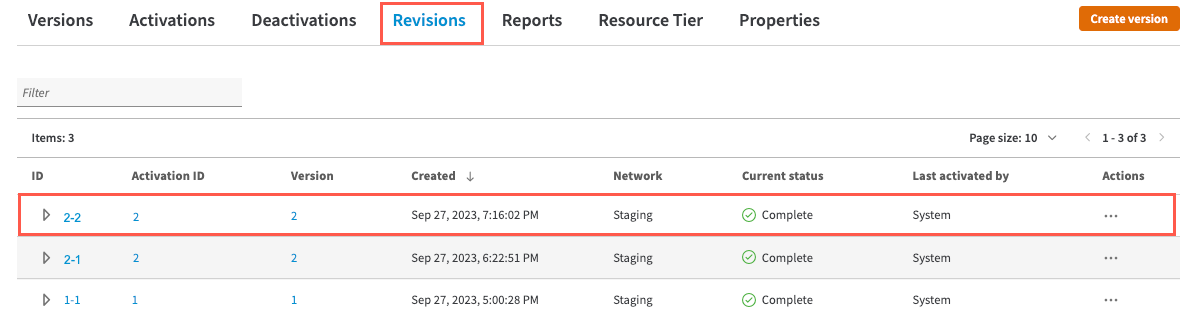
This example shows how the CoreSite dev team can pin revision `2-2` to prevent updates during a site wide sale.
1. Select the revision that you want to pin from the list available on the **Revisions **tab.
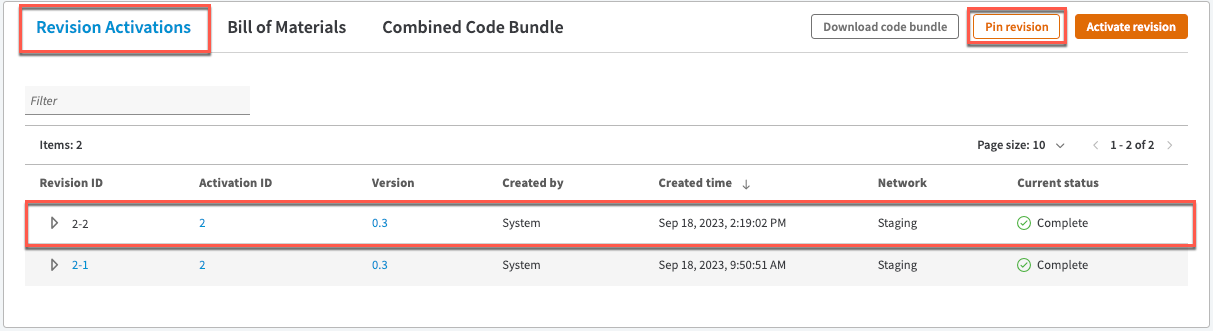
 2. Click the **Pin revision** button to disable dynamic reactivation. This revision, `2-2`, will remain active even if new versions of the child EdgeWorkers are activated.
> 📘 You can only pin the revision ID that is currently active.
2. Click the **Pin revision** button to disable dynamic reactivation. This revision, `2-2`, will remain active even if new versions of the child EdgeWorkers are activated.
> 📘 You can only pin the revision ID that is currently active.
 During the sale the Security dev team continues to work on updates to their EdgeWorker.
When they activate version `7` of the Security EdgeWorker the parent, CoreSite, isn’t dynamically reactivated because it’s pinned.
## 1. View the Bill of Materials
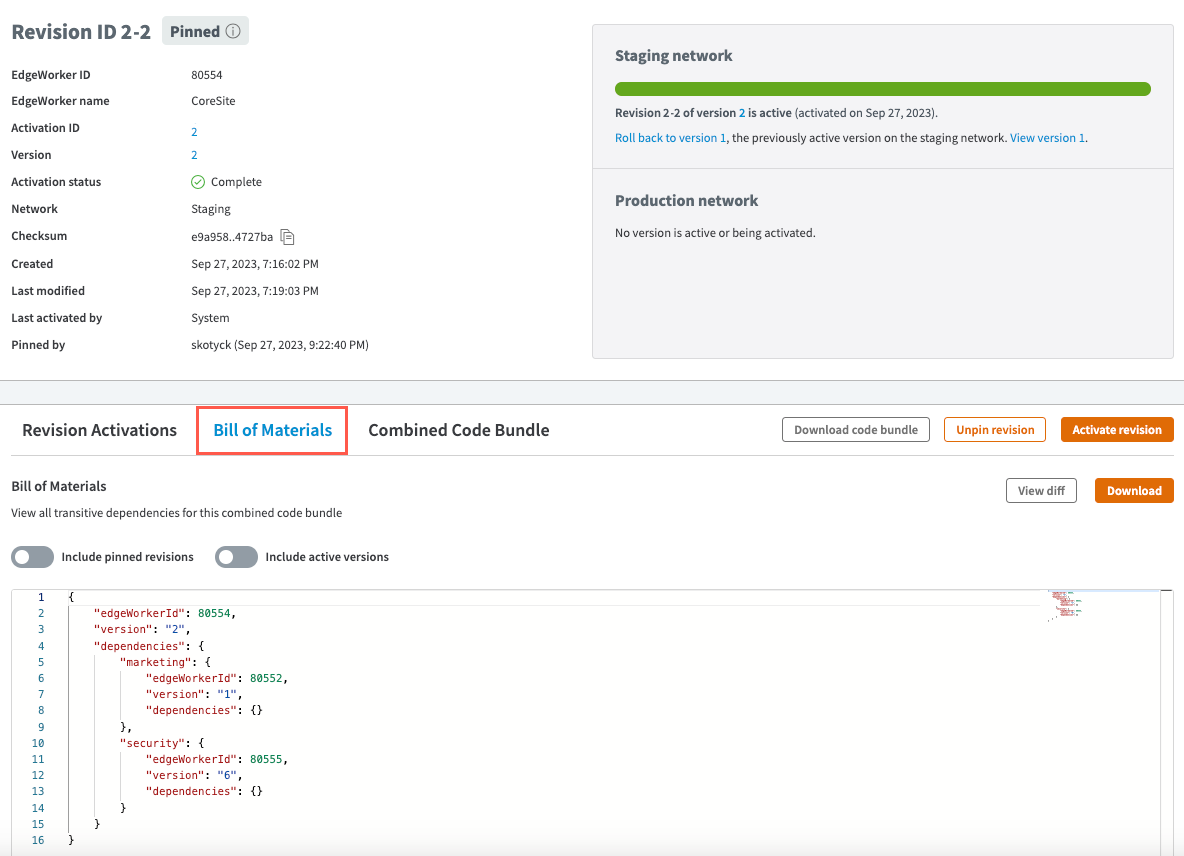
We can see that the Security EdgeWorker continues to use version `6`.
During the sale the Security dev team continues to work on updates to their EdgeWorker.
When they activate version `7` of the Security EdgeWorker the parent, CoreSite, isn’t dynamically reactivated because it’s pinned.
## 1. View the Bill of Materials
We can see that the Security EdgeWorker continues to use version `6`.
 ## 2. View the Combined Code Bundle
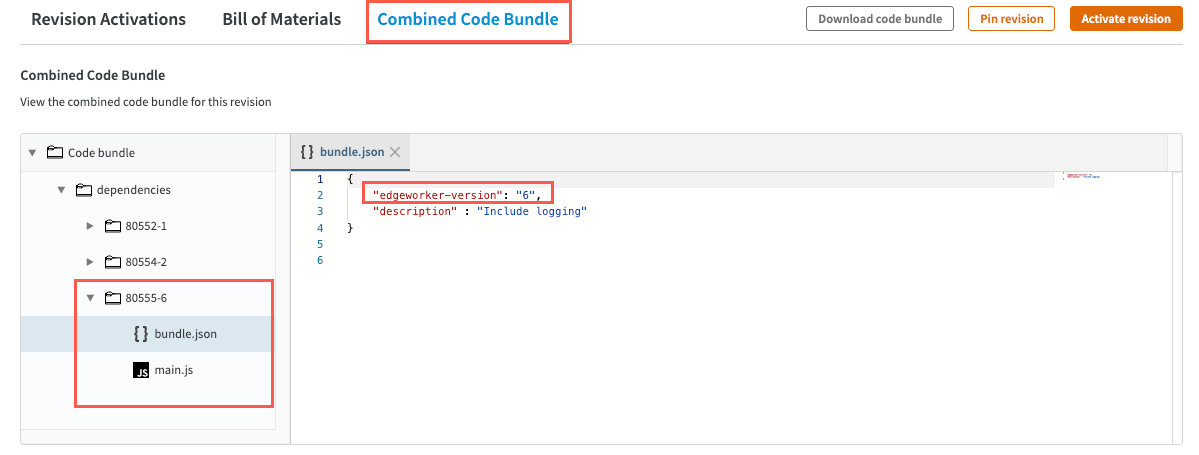
We can also confirm that the version number of the Security EdgeWorker is `6` by reviewing the `bundle.json` file in the combined code bundle.
## 2. View the Combined Code Bundle
We can also confirm that the version number of the Security EdgeWorker is `6` by reviewing the `bundle.json` file in the combined code bundle.
 ## 3. View the Security version number
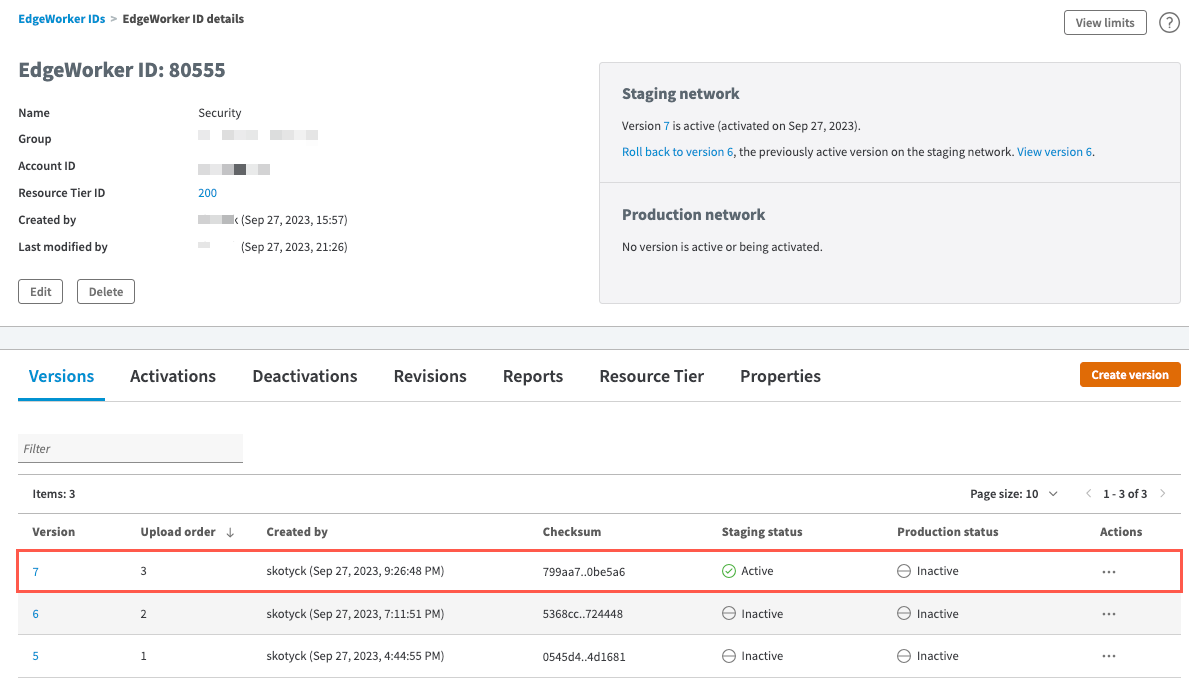
Version `7` has been activated on the network but does not trigger a dynamic reactivation of the pinned parent EdgeWorker.
## 3. View the Security version number
Version `7` has been activated on the network but does not trigger a dynamic reactivation of the pinned parent EdgeWorker.
 ## 4. Unpin a revision
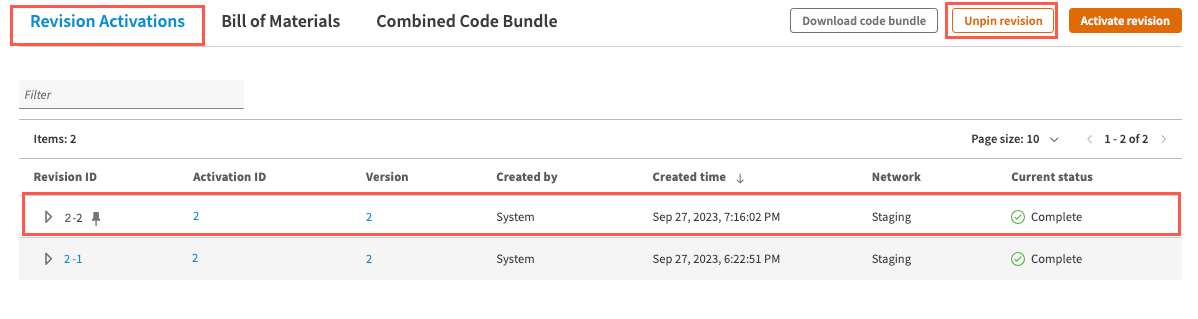
To unpin the revision, select it and click the **Unpin revision** button
## 4. Unpin a revision
To unpin the revision, select it and click the **Unpin revision** button

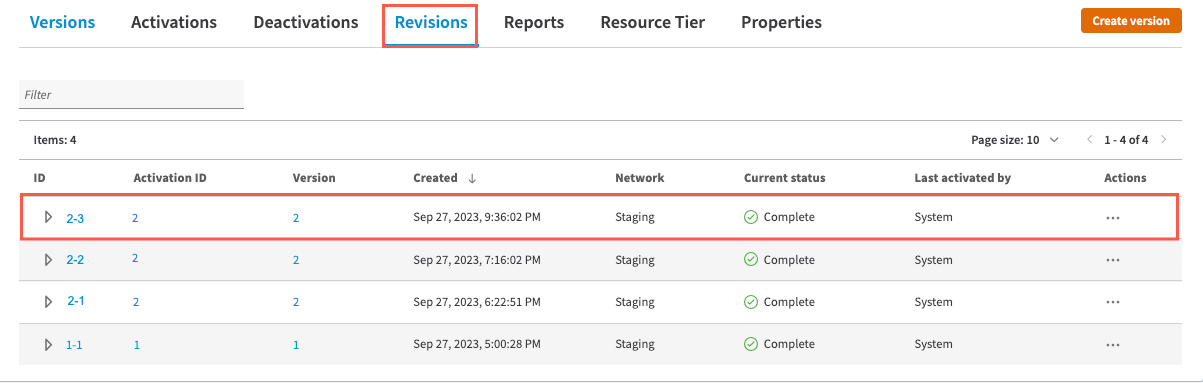
 Once the revision is unpinned, version `7` of the Security EdgeWorker will trigger a new Revision for the parent EdgeWorker, CoreSite.
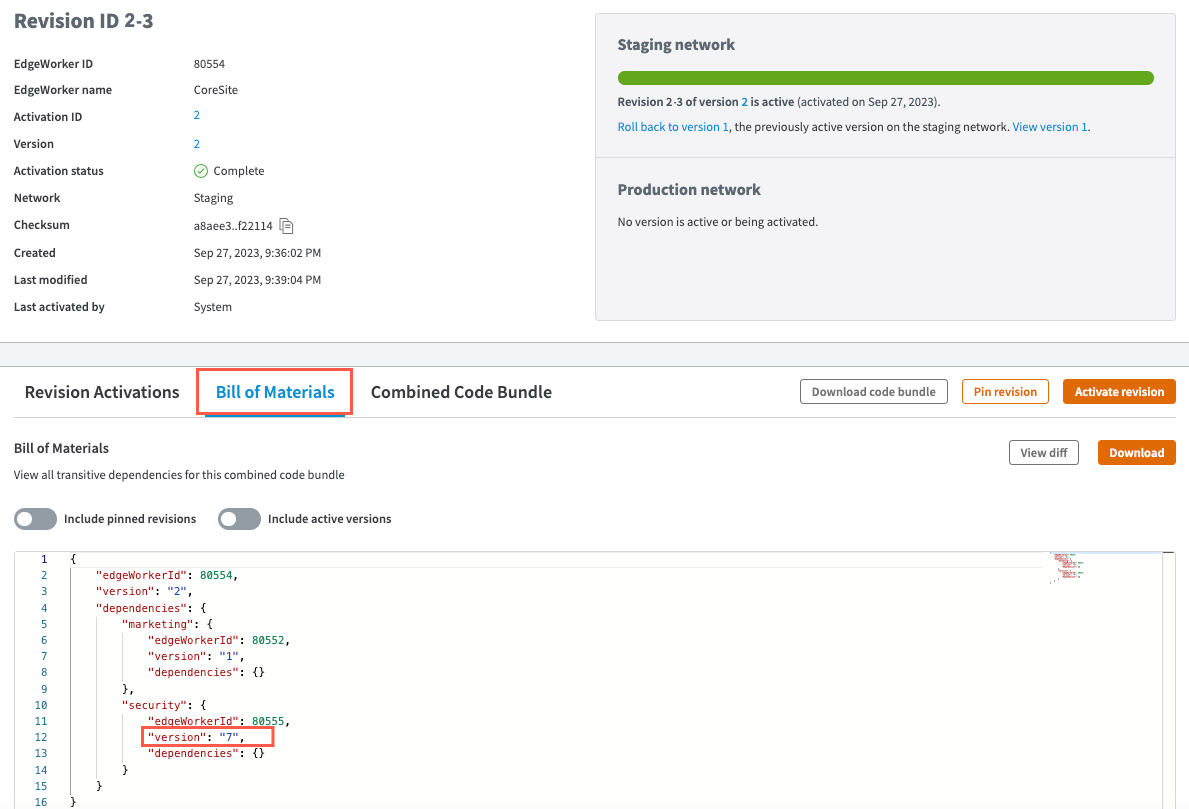
To confirm that this Reactivation occurred go to the list of **Revisions** for the CoreSite EdgeWorker.
Once the revision is unpinned, version `7` of the Security EdgeWorker will trigger a new Revision for the parent EdgeWorker, CoreSite.
To confirm that this Reactivation occurred go to the list of **Revisions** for the CoreSite EdgeWorker.
 You can confirm that version `7` of the Security EdgeWorker appears in the BOM.