Fragment generation using subWorkers
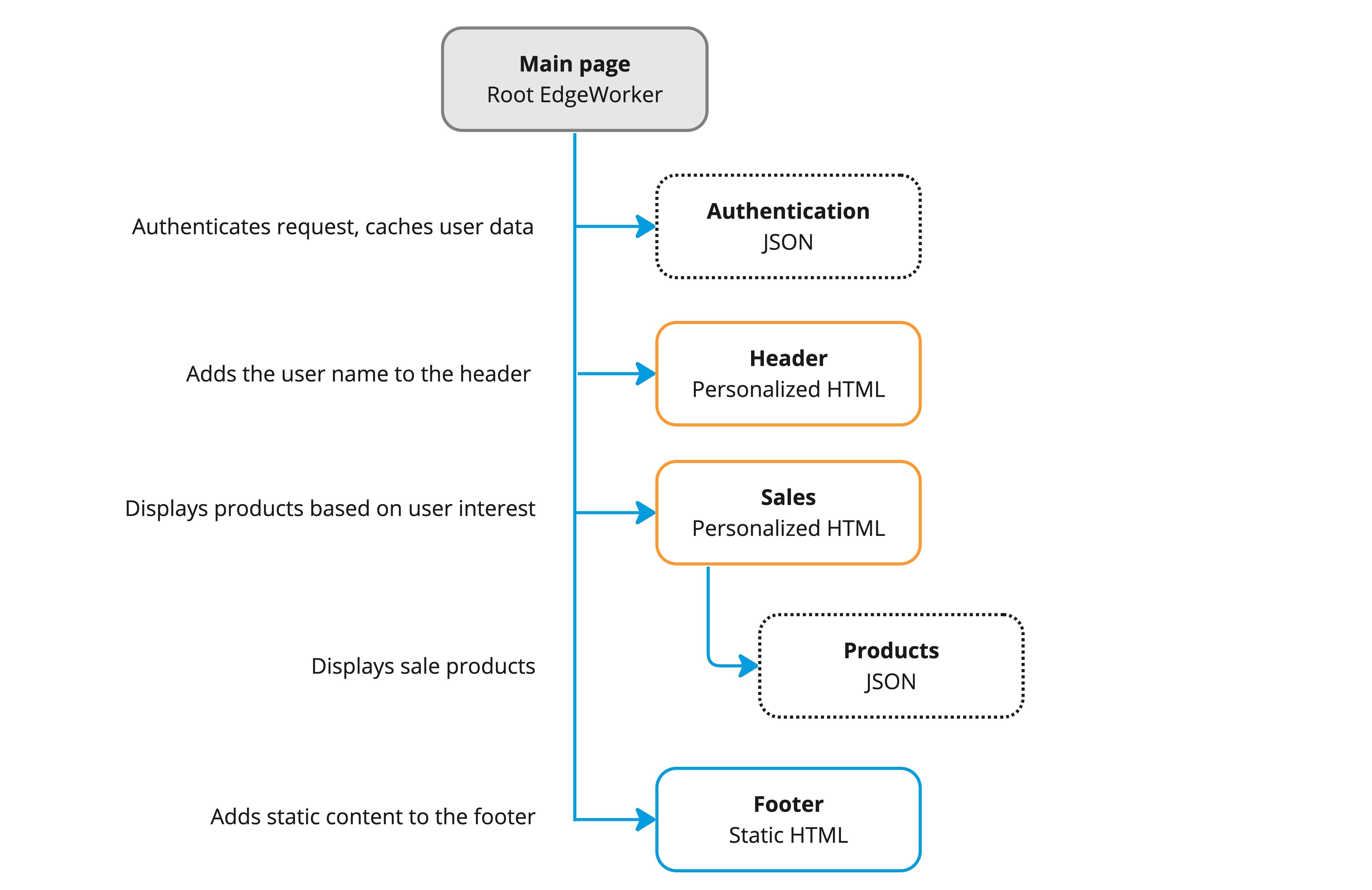
In this tutorial you’ll learn how to use subWorkers to create a simple e-commerce website. There are various teams in this organization and each is responsible for creating their own EdgeWorker. This lets them divide the responsibility and workload while being able to release on their own schedule and use their preferred tools. Each EdgeWorker performs a different task such as authentication, personalization, and adding static content to the site.
To learn more, refer to Create a subWorker in this guide.
Create the subWorkers
To get started, you can create the fragment subWorkers pages that will be called by the main page. Each of these subWorkers pages need to be enabled as subWorkers in its bundle.json file. You need to create a code bundle and deploy each subWorker separately.
Enable subWorkers in the bundle.json files
To enable a subWorker, add the invoke-for-edgeworker-clients configuration setting to the EdgeWorkers’bundle.json in each of the subWorkers.
Here’s the bundle.json file from the Authentication EdgeWorkers code bundle.
If this configuration setting is not included in the bundle.json file the EdgeWorkers function will return a status 22 “SubworkerNotEnabled” if a sub-request is made to the EdgeWorkers URL.
Authentication subWorker
This EdgeWorkers function retrieves user data as JSON and caches it to pass it to other EdgeWorkers as input. These other EdgeWorkers execute later using the results from the call the Authentication EdgeWorker.
- The Header EdgeWorker adds the user name to header of the web page.
- The Sales EdgeWorker adds a list of products to the page that fit the interests of the authenticated user.
In this example the code just looks at a map. In an actual deployment the EdgeWorker would call a database.
Sales subWorker
The Sales EdgeWorker also uses input from the Authentication EdgeWorker to add a list of products that fits the interests of the logged in user.
If the user is not logged in, the Acquisition page will display instead.
The Sales EdgeWorker includes a sub-request to another subWorker that picks products of interest also retrieved from the Authorization EdgeWorker. This demonstrates how data is passed dynamically from one EdgeWorker to another.
Here’s the complete code sample.
Products subWorker
The Products EdgeWorker is nested under the Sales subWorker and includes a static list of potential customer interests to display.
Acquisition subWorker
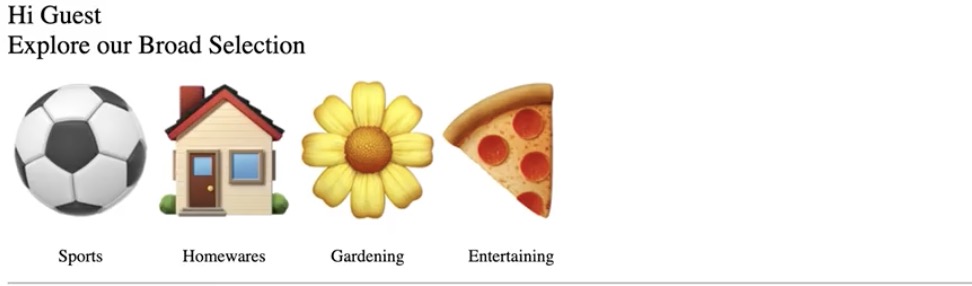
This page displays if no known user is available or logged in. It provides a generic selection of sale items.
Header and Footer subWorkers
The Header EdgeWorker uses input from the Authentication EdgeWorker to add the user name to the header.
The Footer EdgeWorker contains static content that can be easily cached.
Main EdgeWorkers page
The main page uses sub-requests to invoke the subWorker pages. The subWorkers are direct children of the main page with the exception of the Products page. The Products page is called by the Sales subWorker page.
- This section of the code defines the URLs for the subWorkers.
- This is an example an http request call to a subWorker.
- This defines the logic that determines if you are guest or a known user. If a known user is logged in it enables the Sales EdgeWorkers that includes the nested Products EdgeWorker.
- This builds the final response and streams it back as a response.
Here’s the complete code sample for the main page.
Make a call to the main EdgeWorkers page
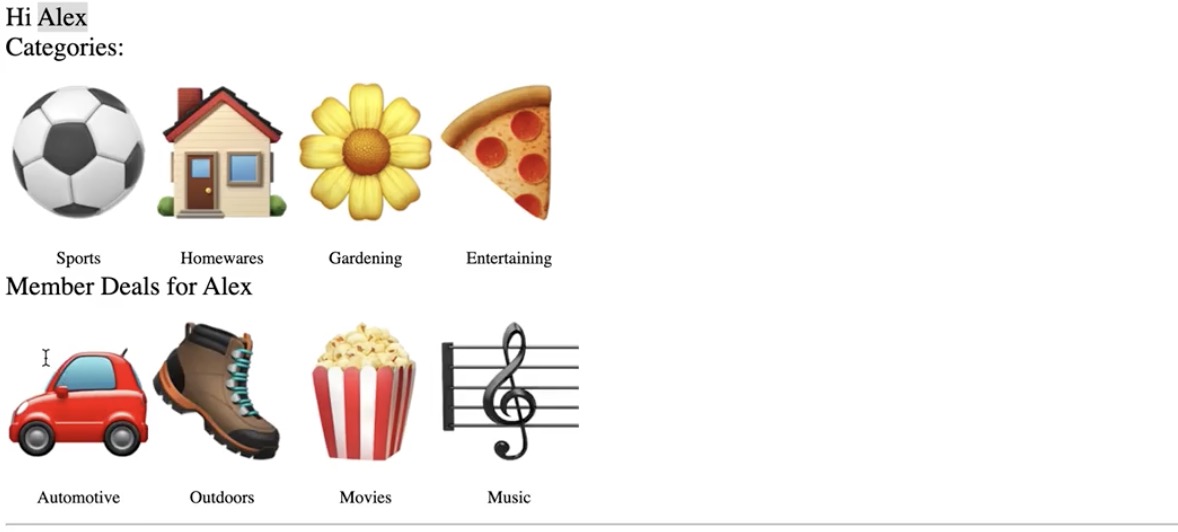
This example illustrates what happens when a user logs in and makes an HTTP request to the main EdgeWorkers page.
To see this page, load https://<hostname>/?user=Alex in your browser, where the <hostname> is the name of the property.
You can also use a curl request, https://<hostname>/?user=Alex to load the page.
The main EdgeWorkers page uses the Authentication subWorker to retrieve information about the logged in user and adds a list of products to the page from the Sales subWorker that fit the interests of the authenticated user.
When, on the other hand, a user makes a request to the main page and is not logged in, the page only displays generic products.